

Connect your Amazon Selling Partner account to sync orders, inventory, sales analytics, and financial data into your managed data lake.Documentation Index
Fetch the complete documentation index at: https://docs.definite.app/llms.txt
Use this file to discover all available pages before exploring further.
Prerequisites:
- You’ll need access to an active Amazon Selling Partner account to complete authorization.
- Users need Admin workspace permissions to add integrations. Learn more about extractor integrations.
Setup
Go to this link to add an integration. Search for Amazon Selling Partner and click it to open the creation form.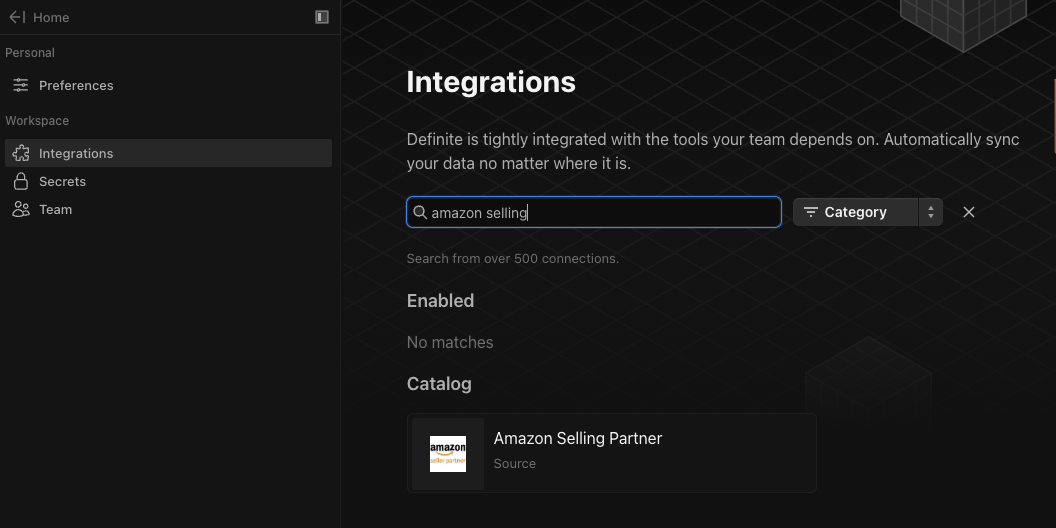
Select your marketplaces
Choose the Amazon marketplaces you want to sync data from. If you sell in multiple countries, select each marketplace where you have an active store.
Set a start date
Enter the earliest date from which data will be extracted, in ISO 8601 format. Data before this date won’t be synced. Example:
2020-01-01T00:00:00Z.Choose a destination
Select DuckLake as your Destination Integration to send data to your managed data lake, then enter the Dest Schema name (e.g., 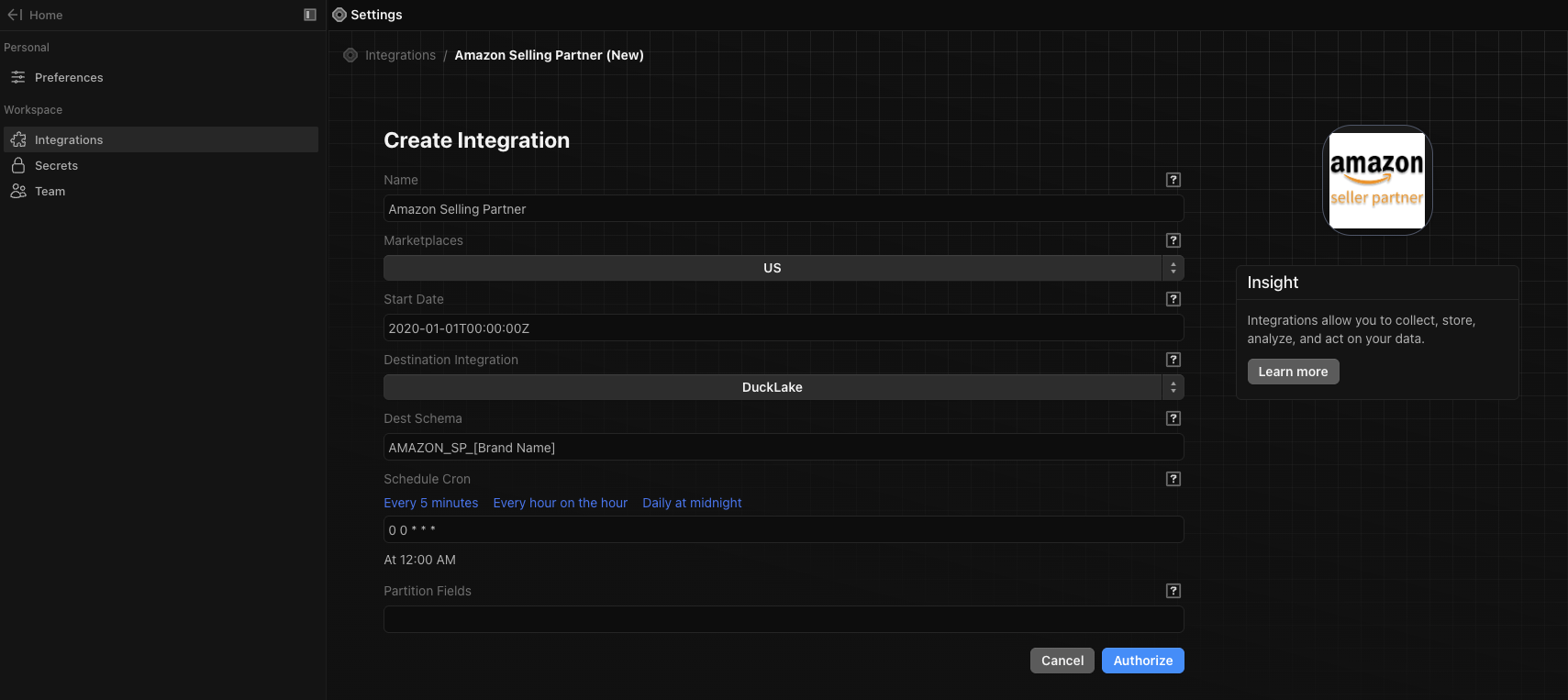
AMAZONSELLINGPARTNER).Set a sync schedule
Enter a cron expression for how often the integration runs. Use the preset links or write your own. Examples:
- Every hour:
0 * * * * - Daily at midnight:
0 0 * * *
Partition Fields (optional)
If needed, enter a JSON object specifying partition fields per table. This only applies when the destination is DuckLake. See the target-ducklake partitioning docs for details.
Click Authorize. You’ll be redirected to Amazon to log in to your Selling Partner account and grant Definite access. After completing the Amazon login flow, you’ll be brought back to Definite and the integration will be created.
If you have multiple Amazon Selling Partner accounts (e.g., separate brands), create a separate integration for each account. Each account syncs to its own schema.
Available data
Once connected, the following data is available in your destination schema.- Orders and transactions: Full order history with status, fulfillment channel (FBA/MFN), Prime flag, line items, buyer info, shipping address, and financial events including refunds, service fees, and chargebacks.
- Sales and traffic analytics: Daily metrics by date and ASIN, including sessions, page views, units ordered, and revenue. Also includes FBA shipment-level sales with ship location data.
- Inventory: Current listing inventory, FBA inventory by country, full inventory movement history (ledger), and Amazon Warehousing and Distribution (AWD) stock.
- Product catalog: ASIN-level product details including title, brand, features, sales rankings, and extended attributes.
- Account and reference: Seller account info, available marketplace IDs and names, and report metadata.
- Vendor Central (if applicable): Purchase orders, fulfillment POs, and customer invoices from Amazon.
Common analyses
| Use case | Tables |
|---|---|
| Revenue and order trends | orders + orderitems |
| Refunds and chargebacks | orderfinancialevents |
| Product performance | sales_traffic_report + orderitems |
| Inventory health | products_inventory + fba_inventory_ledger_detailed |
| Geographic sales breakdown | fba_customer_shipment_sales |
| FBA vs. merchant-fulfilled split | orders.FulfillmentChannel (AFN = FBA, MFN = merchant) |
| Prime order analysis | orders.IsPrime |
| Financial reconciliation | orderfinancialevents |