

Setup: System User (recommended)
Prerequisites:
- Admin role on the Meta Business Manager (only Admins can create and manage System Users)
- Access to every ad account that needs to be synced (the ad accounts must be owned by or shared into the Business Manager)
- A Meta App associated with the Business Manager (needed to generate a token; if one doesn’t exist, an Admin can create one at developers.facebook.com)
Create a System User
Open Business Settings
Go to business.facebook.com/settings and navigate to Users > System Users.
Create a new System User
Click Add and create a System User with the following settings:
- Name:
Definite - [Client Name] - Role: Admin
Admin System Users can access all assets in the Business Manager. Employee System Users can only access assets explicitly assigned to them.
Assign ad accounts
Click Add Assets, select Ad Accounts, check every ad account that should be synced, and grant full access. The connector pulls data from every ad account the token has access to.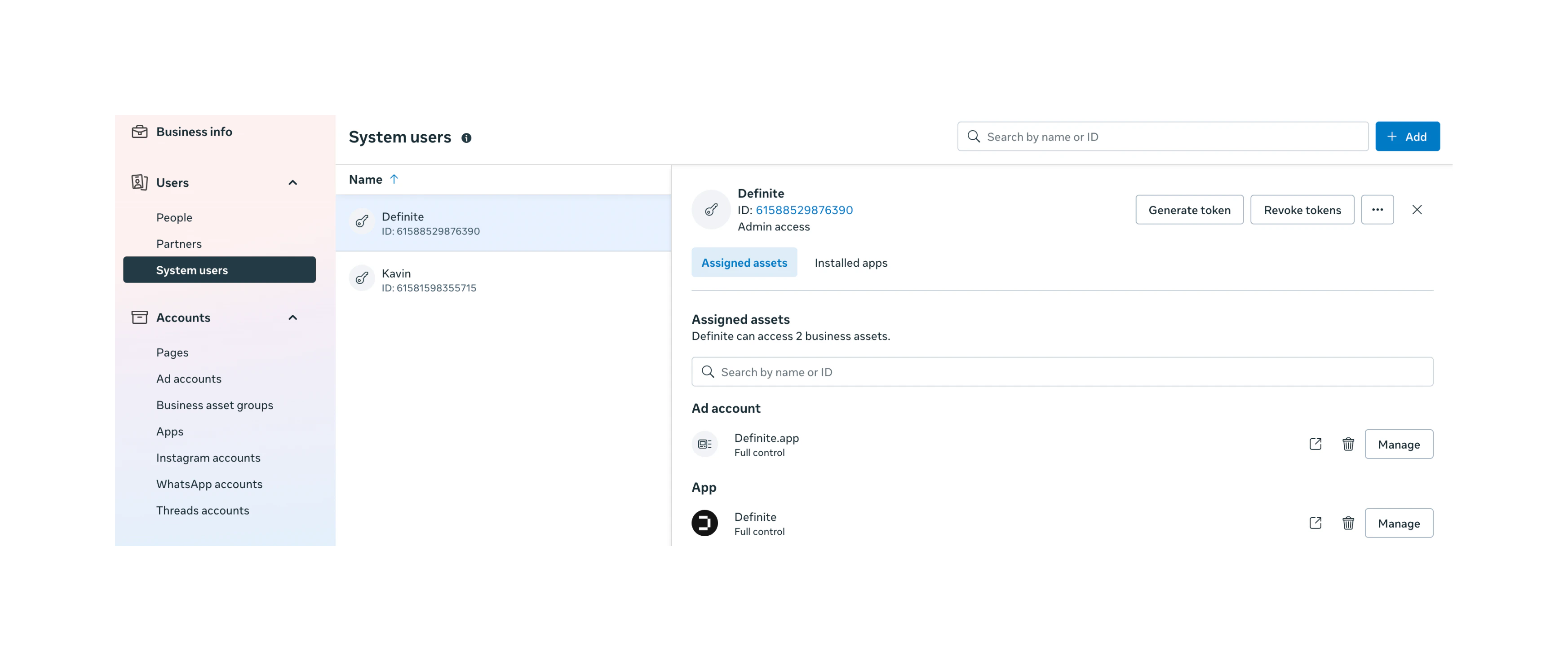
Generate a token
Click Generate New Token, select your Meta App, and enable these two permissions: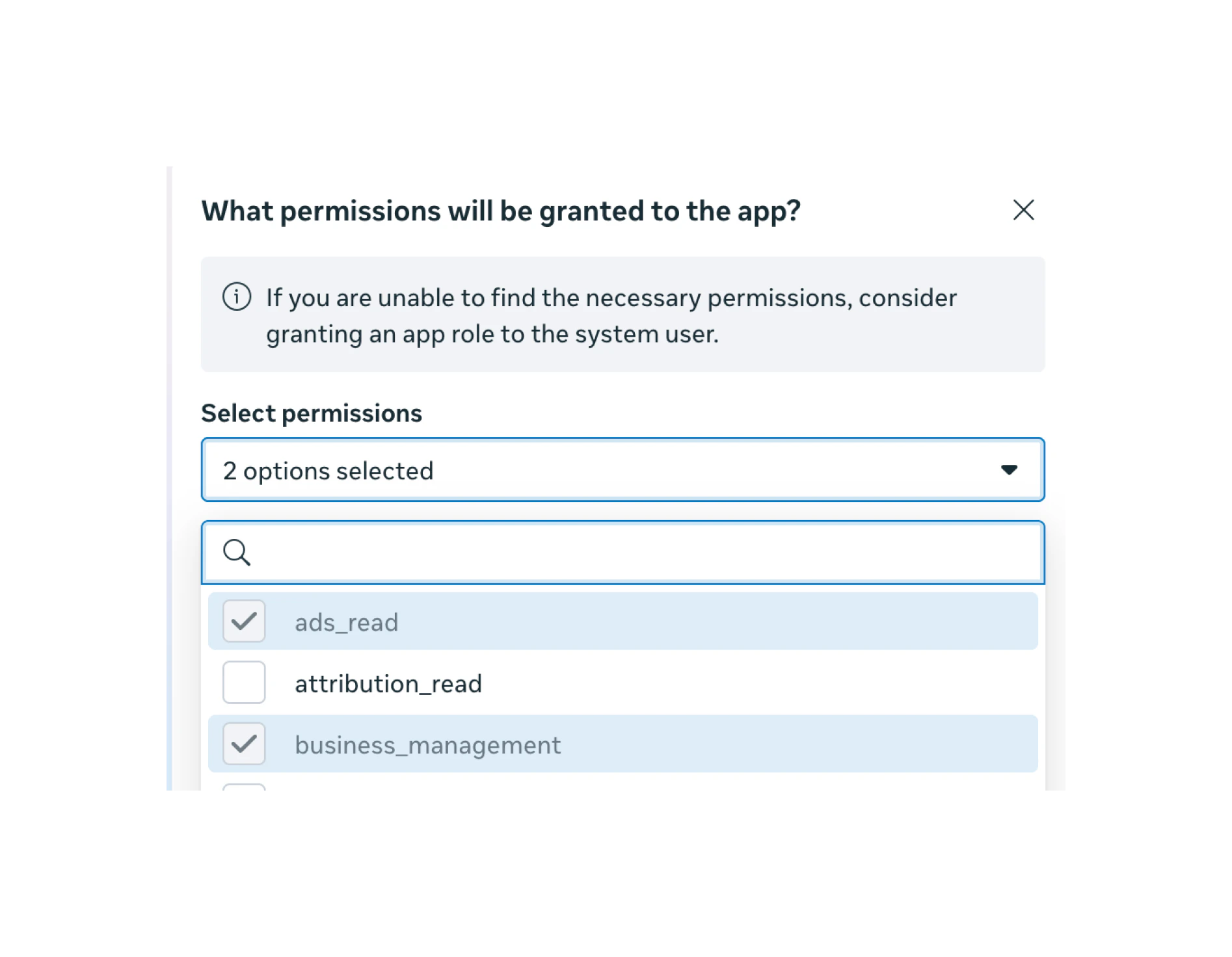
ads_read- reads ad performance data (spend, impressions, clicks, conversions, etc.) from all assigned ad accountsbusiness_management- discovers and accesses ad accounts within the Business Manager programmatically
Connect to Definite
Go to Integrations and search for Facebook Ads (System User).
Configure the integration
Fill in the form: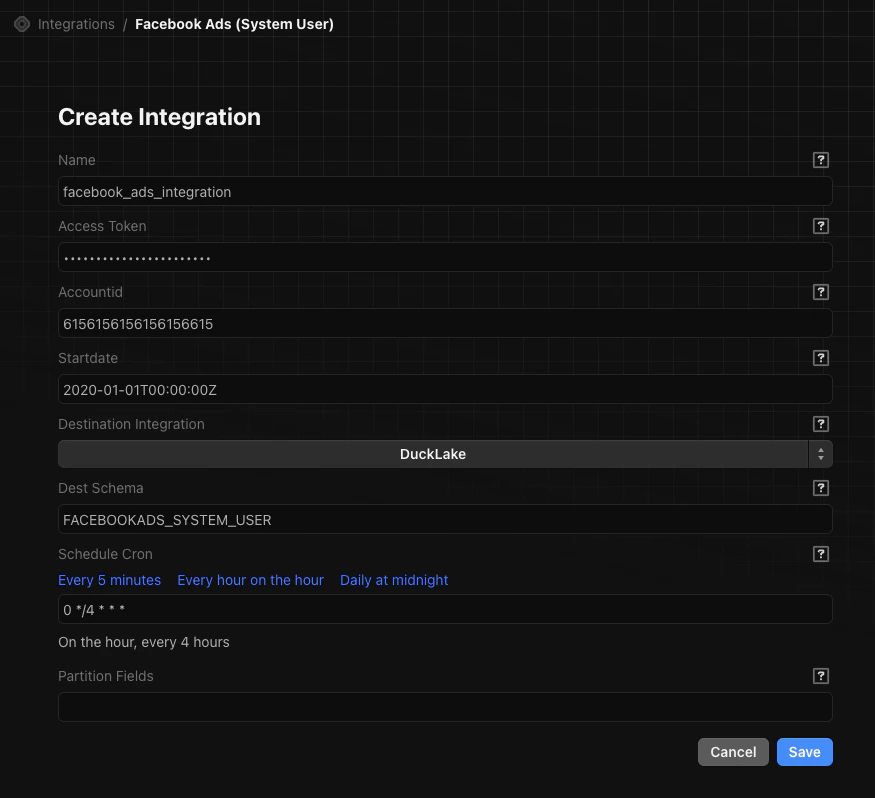
- Name: A descriptive name (e.g.,
facebook_ads_integration) - Access Token: Paste the System User token you generated
- Account ID: Any ad account ID from the Business Manager (this is a default for API calls; the connector syncs all accounts the token can access)
- Start Date: The earliest date to sync data from (e.g.,
2020-01-01T00:00:00Z) - Destination: Select DuckLake and enter a schema name
If you have ad accounts across multiple Business Managers (business portfolios), you’ll need a separate integration for each one. Repeat the entire process (System User creation + Definite integration) for each Business Manager.
Alternative: Personal OAuth token
You can also connect using a personal Facebook login via OAuth. This is simpler to set up but has significant downsides:- Token expires every 60 days and requires re-authentication
- Access is tied to the authorizing person’s permissions. If they lose access to an ad account or leave the company, the pipeline breaks
- The person who authorizes must have access to all ad accounts that need to be synced