

Prerequisites:
- You’ll need access to a Google Search Console account with verified sites.
- The Google Search Console API must be enabled in your Google Cloud Console.
- Users need Admin workspace permissions to add integrations. Learn more about extractor integrations.
Setup
Go to this link to add an integration. Search for Google Search Console and click it to open the creation form.
Name your integration
Give your integration an easily identifiable name (e.g.,
Google Search Console).Enter your site URLs
Enter the site URLs you want to sync, separated by commas. You can use domain-level properties by prefixing with
sc-domain: (e.g., sc-domain:example.com). URL-prefix properties use the full URL (e.g., https://www.example.com/).Choose a destination
Select DuckLake as your Destination Integration to send data to your managed data lake, then enter the Dest Schema name (e.g., 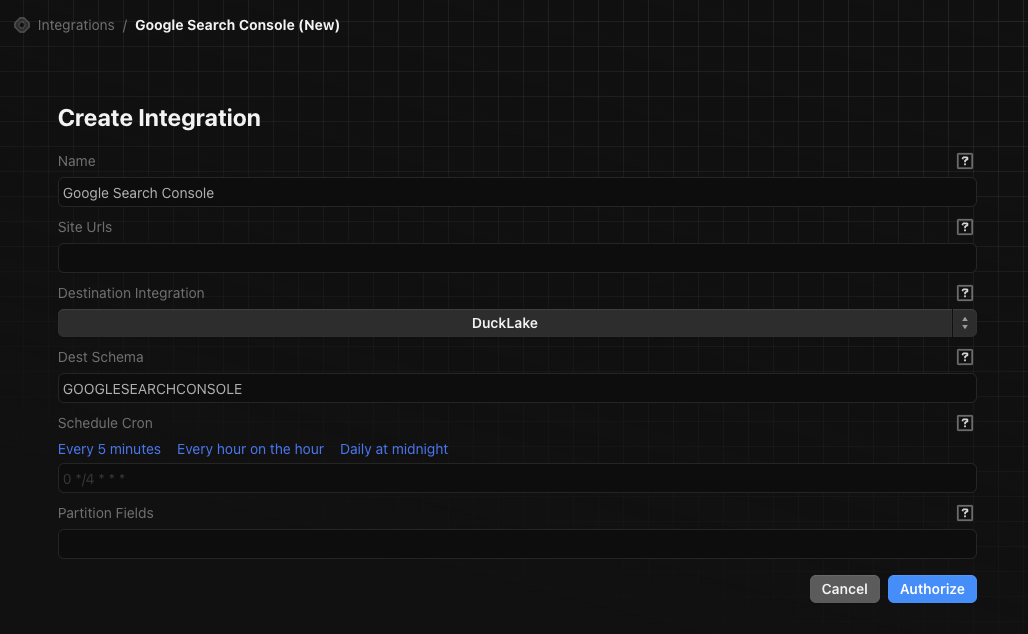
GOOGLESEARCHCONSOLE).Set a sync schedule
Enter a cron expression for how often the integration runs. Use the preset links or write your own. Examples:
- Every hour:
0 * * * * - Daily at midnight:
0 0 * * *